
Product tour
The platform, in the order the work moves
Every screen below is a photograph of the running software against an operating company with three weeks of work behind it. The counts, durations and readings are the ones that were in the database when the capture was taken, because a tour built from mockups tells you nothing about whether the product holds real data.
Stop 1 · The operating picture
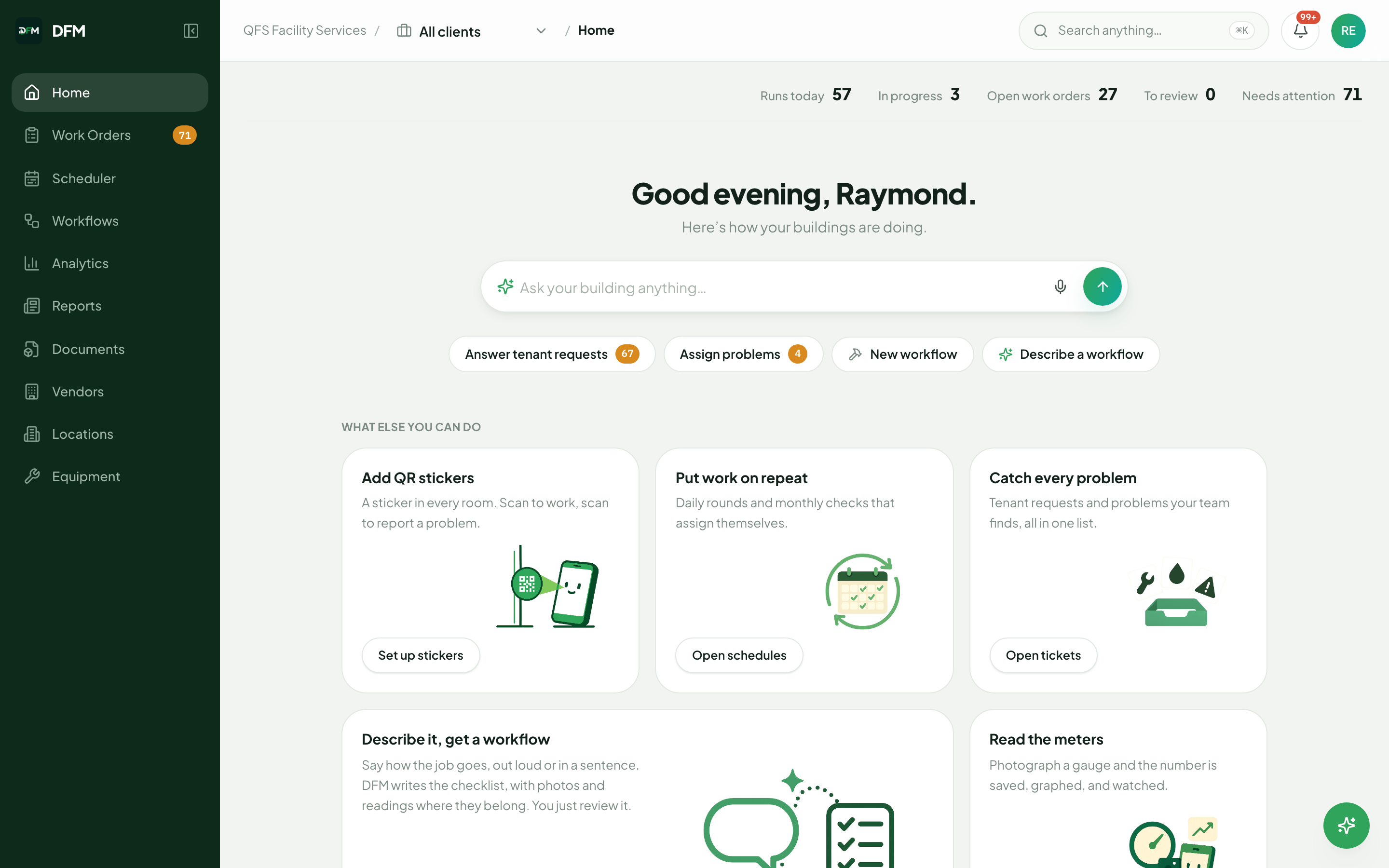
What is open, what is late, what needs a decision
A manager lands on live counts across the estate rather than a report of last week. Behind it, the operation can be queried in plain language: what is overdue at which sites, and what came in overnight.
Stop 2 · Demand and dispatch
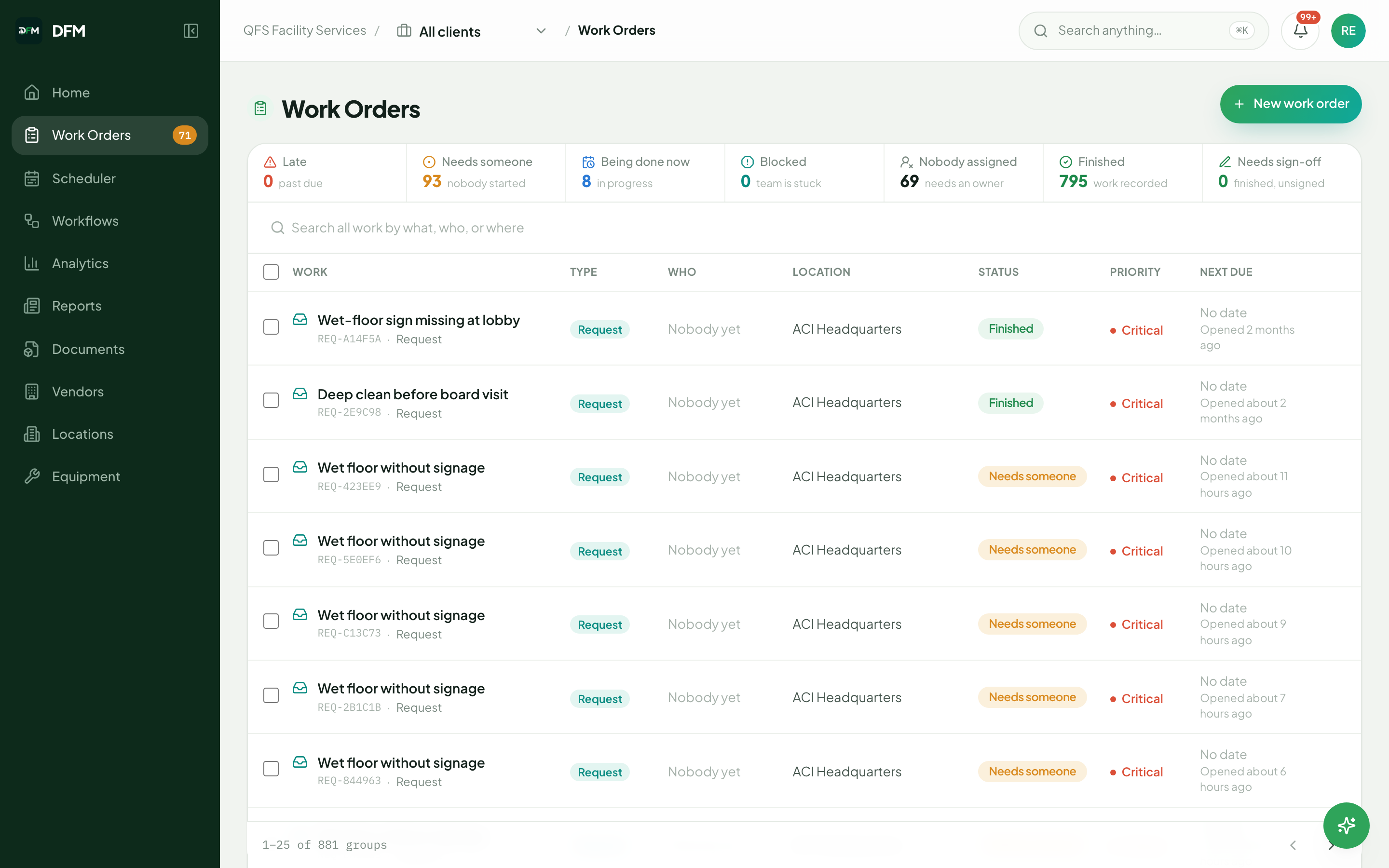
Every job in the estate, filtered by what you report on
Late, unstarted, in progress, blocked, unassigned, complete and awaiting sign-off, filtered by building, client, trade or individual. This is the view a regional review is run from.
Stop 3 · Field execution
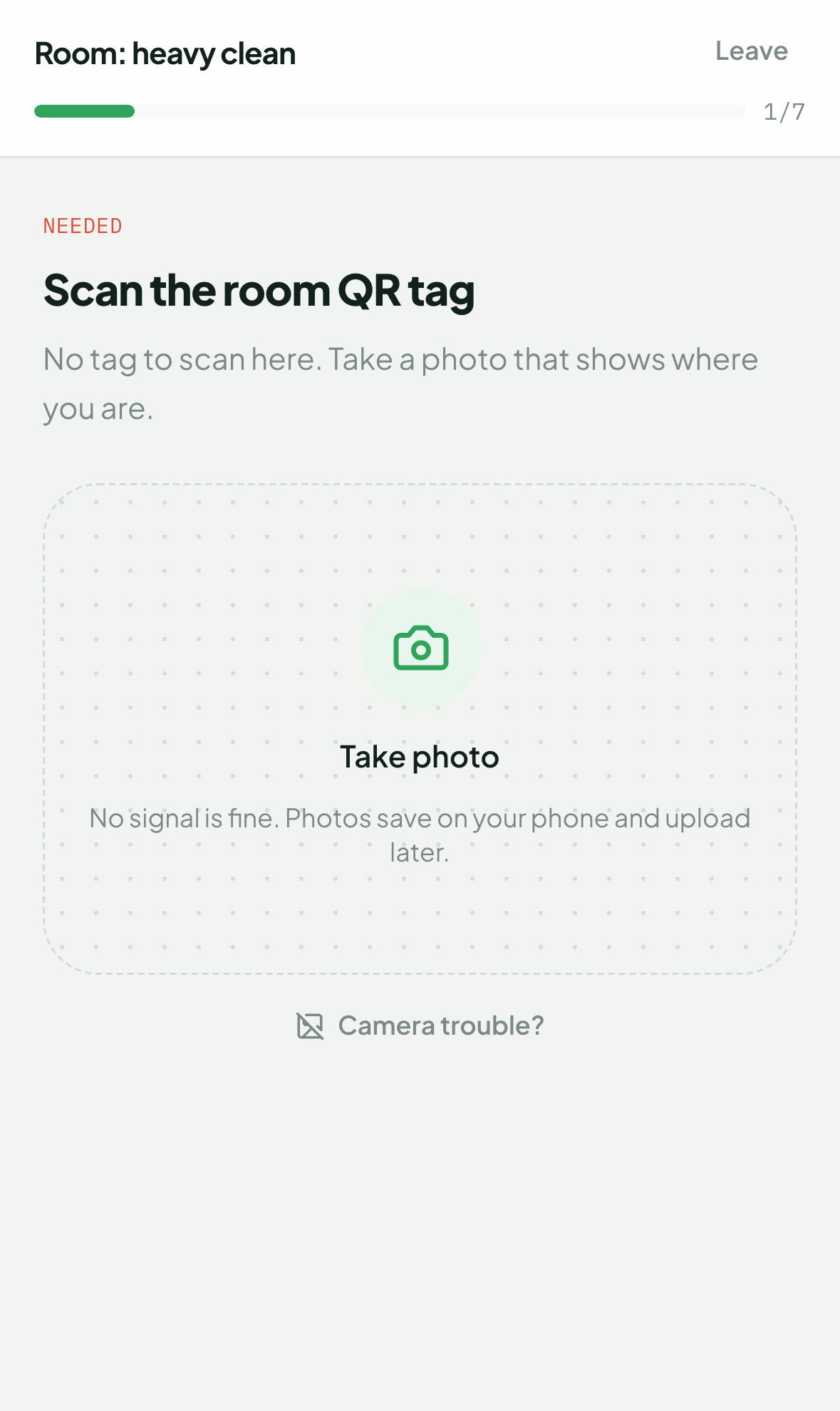
The procedure runs at the asset
The technician is presented one check at a time, in the language they read, with connectivity not required. This step decides whether your completion data describes the estate or describes data entry.
Stop 4 · The record
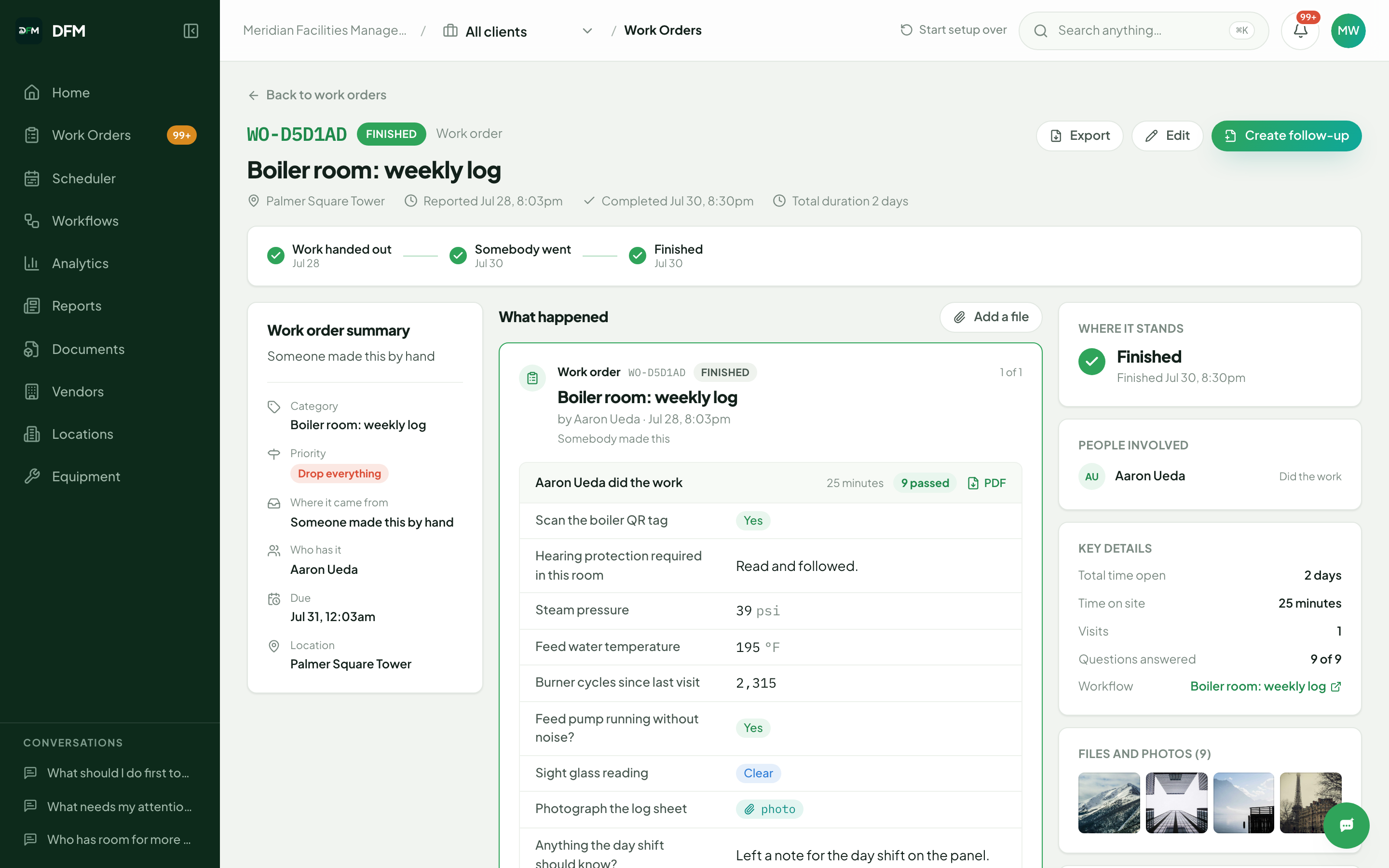
A completed job, as an auditor would read it
Checks and their answers, metered readings, photographic evidence, attendance and time on site, and who performed it. Captured as the work happened, which is why it survives a dispute.
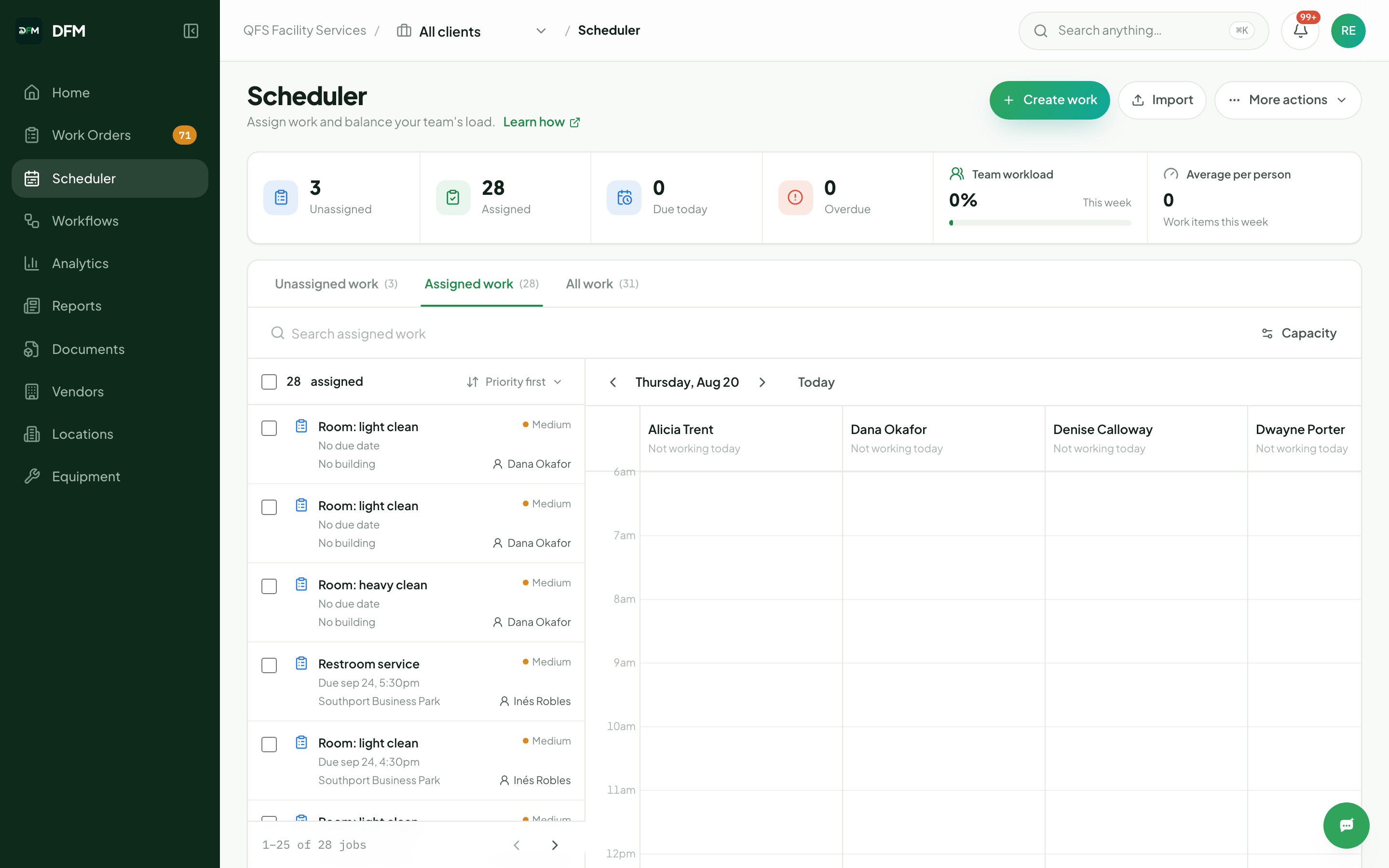
Stop 5 · Capacity
Committed hours against available hours
Per-person lanes planned against durations taken from your own completed work, so overload is visible on Monday rather than discovered on Thursday. Deadline-based work stays on the board.
Stop 6 · The standard
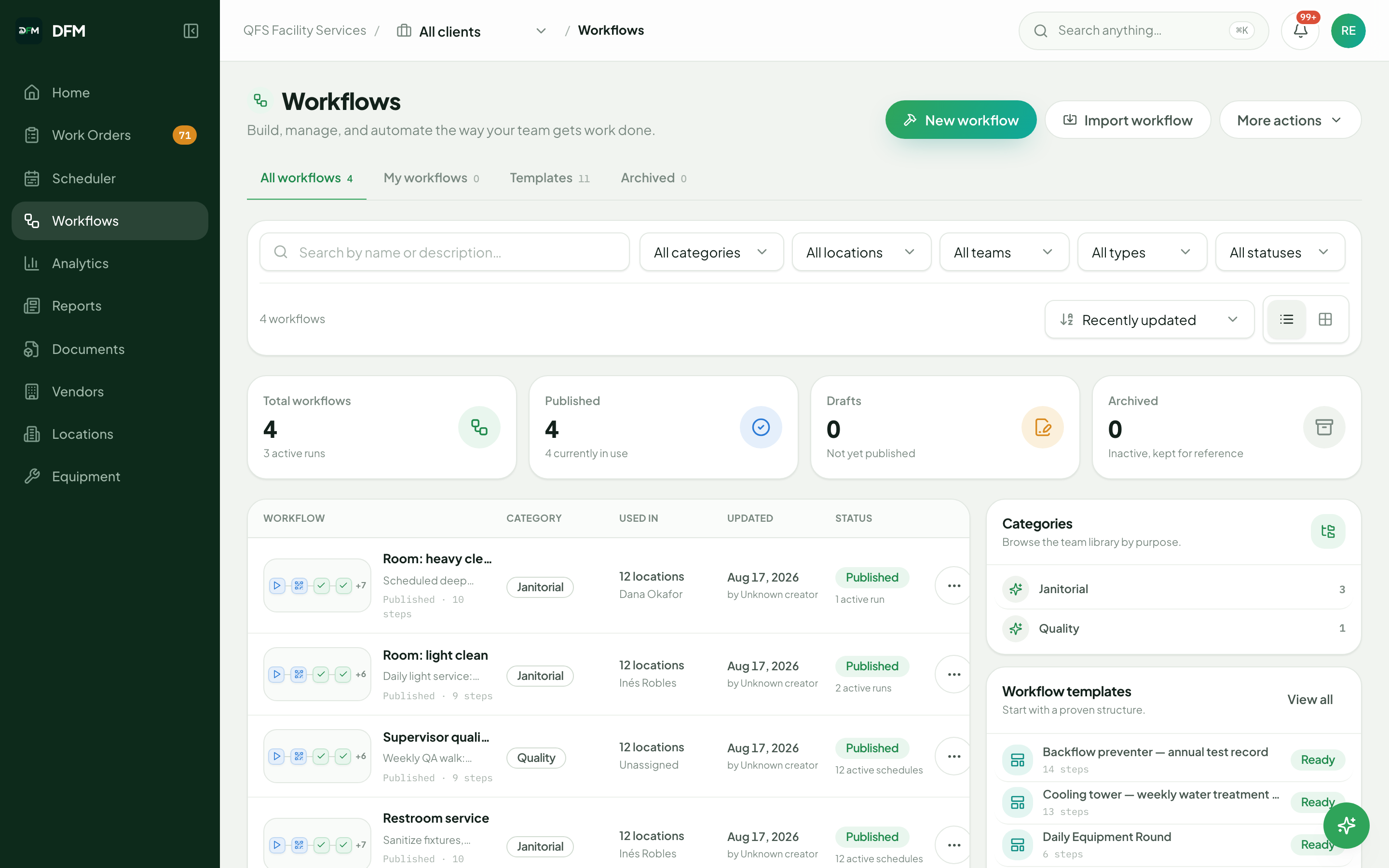
Every procedure, and where it is in force
Each published procedure with its step count, the sites it is live at and the schedules driving it. Changing it here changes it at every location on the next run.
Stop 7 · Reporting
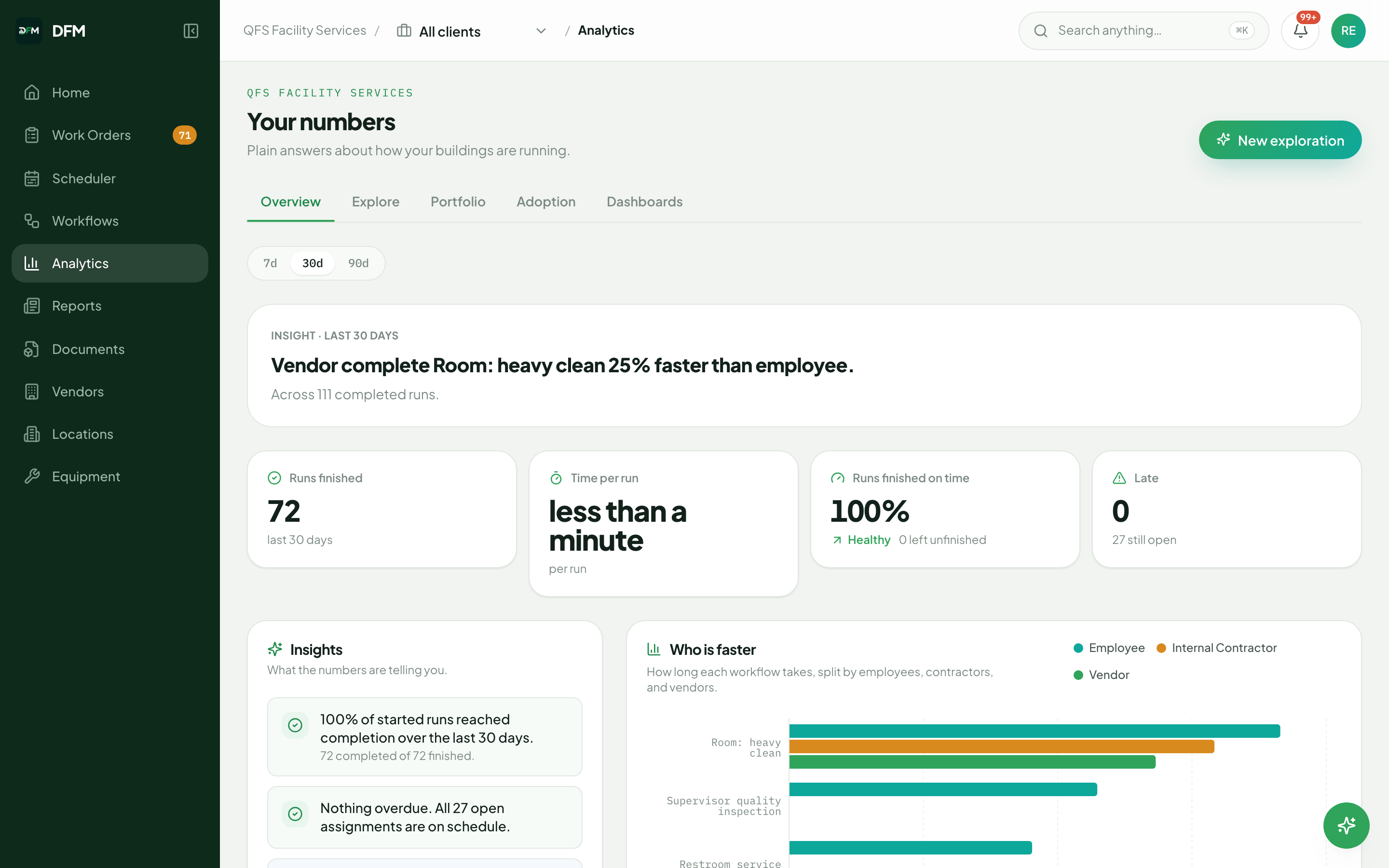
The measures your review is actually about
Work mix, completion against schedule, duration by procedure, and internal labour compared with contracted vendors on the same scope. Every figure opens onto the jobs behind it.
See it on your own estate
Send us a procedure you run today. We will build it before the call and show it executing, with the reporting it produces.